
In Web Browsers like Chrome, Firefox, Edge, Safari etc. there’s a dashboard named Console.
Inside the console, we can directly write JavaScript code and execute them.
Before we get into more details, first let’s see how we can open up the Console in the Chrome and Firefox browsers:
Chrome:Open a webpage or just a new tab in the Chrome browser and right click in the middle of the page and select Inspect just like the way the picture below shows:
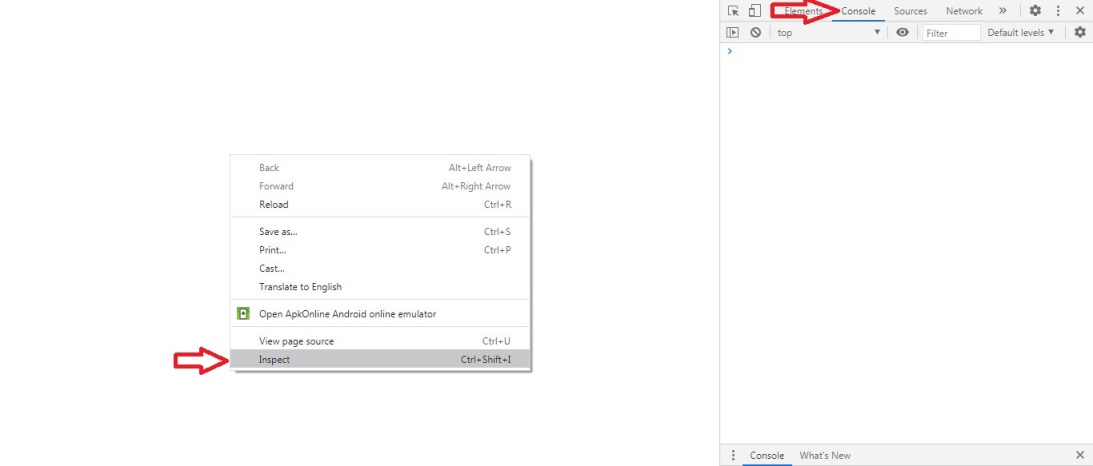
After selecting the Inspect, go ahead and from the window that appeared next select the Console tab and that’s it! Now you are in the Console part of the Chrome browser.
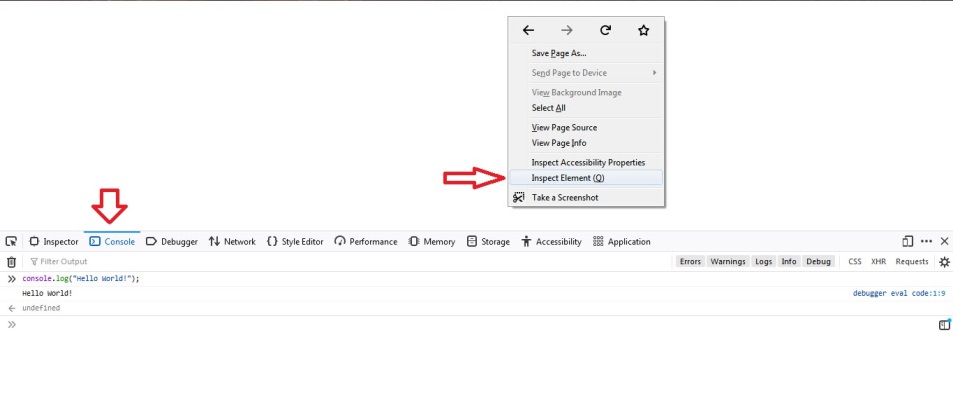
Run the browser and right click in the middle of a page (any page) and select the Inspect Element. After that from the little window that usually appears at the bottom of the browser, select the Console tab.
The picture below shows exactly how the process is done:
In the console, there’s a command line that accepts JavaScript instructions and source code. Usually developers use this command line to run a JavaScript code against the page that the console is opened in.
For example, part of the JavaScript is the capability of doing mathematical operations like addition, subtraction, multiplication of two or more numbers to each other.
So we can use the command line, and run such operation:

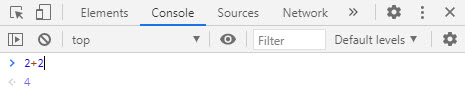
Here as you can see, we’ve added two values (2+2) together and the command line gave us the result.
Again, the mathematical operation is part of the JavaScript and that’s why running such command didn’t return an error. But if we misuse the command line by using a wrong operation that is not part of the JavaScript, we will get an error.
Example:

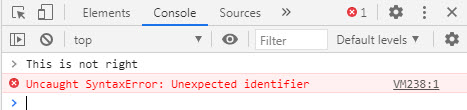
As you can see, the command line didn’t understand what the purpose of the input command was and so we’ve got an error.
One of the main reasons that JavaScript developers use the Console is to send and print a program’s output.
For example we might have written a program that its job is to take multiple numbers and return the result. Now to make sure our program works properly, we need to test it. Testing means, we need to execute the program, give it a few inputs (numbers in this case) and watch the output to see if it’s accurate or not.
Output in this case can be the Console. Basically we can write the program in a way that can send its result to the console and we can simply check the result from there.
One of the ways to send a value to the Console is via console.log() expression.
For now don’t worry about what the keywords like console or log or even the dot . in between does. All you need to know is that if we write console.log() expression and put a message between the parentheses, the message will appear in the console.
Example:
Go ahead and run the command console.log("Hello World!"); in the console and hit the enter. Immediately the message Hello World! will appear in the console.

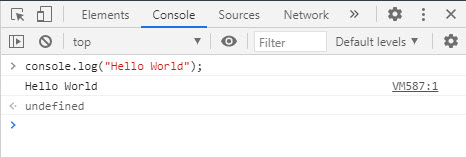
Note: suffice it to say, the console.log tells the browser that we have a message and want to be printed in the console. When the browsers see this instruction (AKA statement) they will automatically take the message we put in the parentheses and show it on the console.
The console part is an object and the log part is a function (AKA method) but because we’re just at the beginning of this course, we won’t get into more details about console.log() statement until we learn what objects and functions are.