
“The aim of art is to represent not the outward appearance of thing, but their inward significance” Aristotle

CSS stands for Cascading Style Sheets
We use HTML to create elements within a webpage and CSS to change the appearance of those elements in order to create a better User Interface and at the end give users a better experience!
Just to name a few capabilities of CSS:
If we want to change the font size of a text within a page, we use CSS.
If we want to increase or decrease the space between two elements, we use CSS.
If we want to put two or more elements on top of each other, we use CSS.
If we want to change the style of a paragraph, we use CSS.
If we want to change the color of a text, we use CSS.
If we want to create a dropdown list, we use CSS.
If we want to change the position of an HTML element, we use CSS.
If we want to add image to the background of an element, we use CSS.
If we want to change the background color of an element, we use CSS.
CSS gives us the tools that we can use in order to access any HTML element within a page and style it in any taste we like.
If CSS could talk, it would say something like, “Hey browser, make this element looks like that”
Here’s some famous websites before and after using CSS:
Google without CSS:


Google with CSS:

Facebook without CSS:

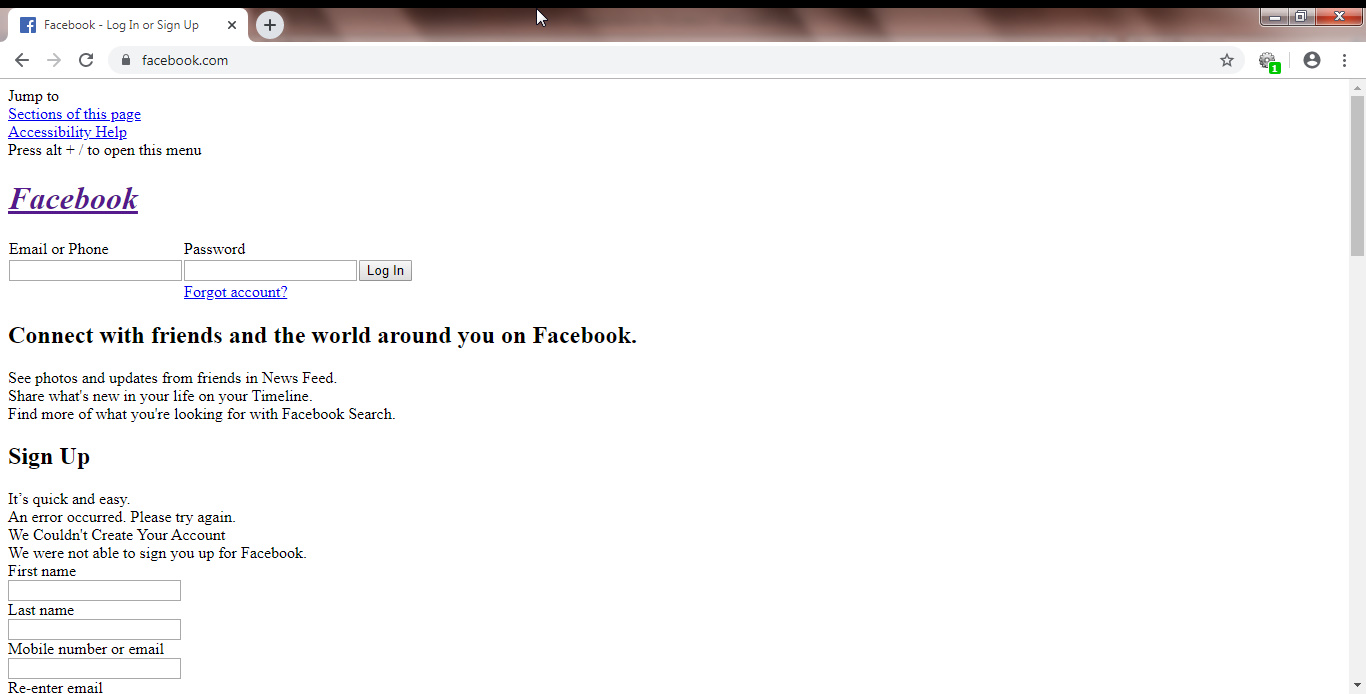
Facebook with CSS:

Instagram without CSS:

Instagram with CSS:

Twitter without CSS:

Twitter with CSS:

Amazon without CSS:

Amazon with CSS:

Yahoo without CSS:

Yahoo with CSS:

Now you can see why CSS is a styling language.
The key to learn CSS is to always remember the fact that there’s an invisible border around each HTML element. (you’ll see why as we progress along this tutorial)

We can visible this border with the help of CSS as you’ll see how to do it later in this tutorial.
Now take a look at the picture below:


This picture shows a template webpage with visible borders around each element of the page. As you can see, every element has its own border.
Let’s see a few famous websites with and without visible border for each HTML element in those websites.
Google without visible borders:

Google with visible borders:

Amazon without visible borders:


Amazon with visible borders:


Twitter without visible borders:

Twitter with visible borders:

Yahoo without visible borders:

Yahoo with visible borders:

Instagram without visible borders:

Instagram with visible borders:

Facebook without visible borders:

Facebook with visible borders:

As you can see, each HTML element in a webpage has its own border.
Basically each element is represented within this boundary and most of CSS properties related to an element will be applied within the boundary.
Granted, That we have other CSS properties like margin and outline etc. that applies to outside the boundary of an element, the majority of CSS properties is focused within this boundary.
Note: We’re assuming you already know what HTML is and are comfortable with it. If you don’t, you can learn HTML easily in HTML tutorial section.