
“Everybody in this country should learn to program a computer, because it teaches you how to think” Steve Jobs
The purpose of this section is to simply compile and run a program just to see how this process is done.
-
First we need a C++ source code to run. For now just copy the
code below and don’t think about what this code does. (Suffice it to
say, it will send the message “Hello World!” to the console/terminal of
the operating system and you’ll see the on your monitor)
#include <iostream>
using namespace std;
int main()
{
cout<<"Hello World!";
return 0;
}-
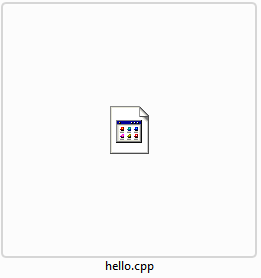
For this section we can work with a simple notepad. So create a
file with any name (we use the name `hello`) but the extension of the
file should be `.cpp` for windows users and `cc or cxx` for Unix-related
OSs.
Example:

-
Copy the code above and paste it into this file and save the
file. -
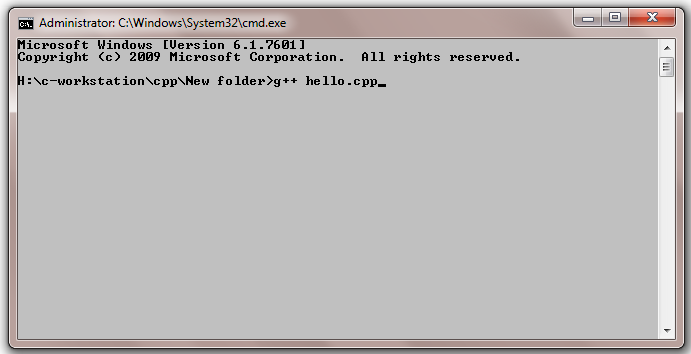
Open the command-prompt/ terminal and go to the folder where this
file is stored. And then write this command:
g++ hello.cpp
Note: the name hello is the name of the file, so if you used different name and extension, make sure you use that one instead.

-
After running the command, we will have an executable file and
that can be called in the terminal which will return the message `Hello
World!` after running the file.
Note: the extension of the file is .exe for Windows OS and .out for Unix-related operating systems.

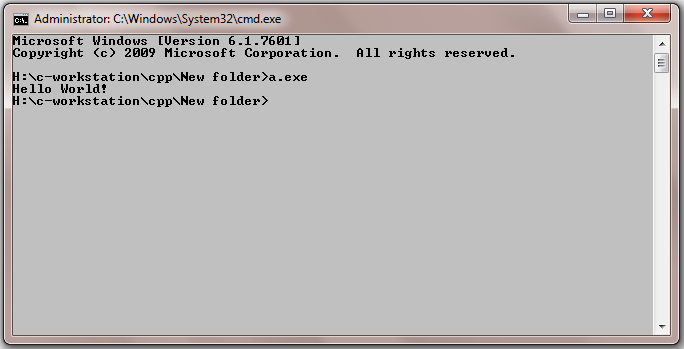
Congratulation! You just compiled and ran your first C++ program.